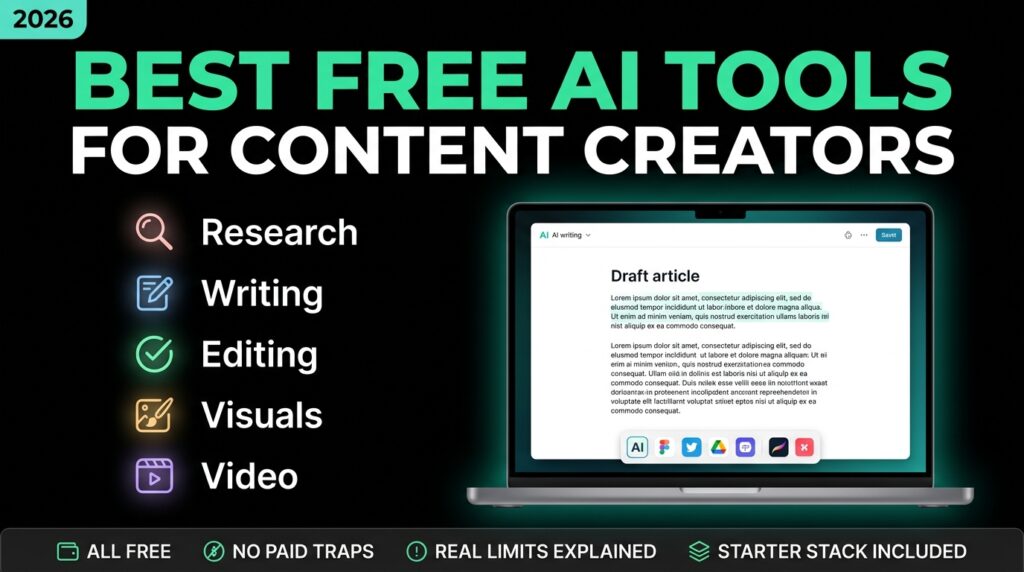
Being a content creator in 2026 usually means being an entire team by yourself — writer, researcher, designer, video editor, and scheduler, often for the same piece of content in the same afternoon. The upside of this AI moment is that you genuinely don’t need a paid subscription to cover most of that workload. The catch is that “free” varies enormously between tools, and most listicles on this topic gloss over exactly where each free tier stops being usable.
This guide is organized around the actual jobs in a content workflow — research, writing, editing, visuals, video, and distribution — rather than a flat ranked list, with honest notes on where each free plan starts to strain under real, regular use.
Research and Ideation
Perplexity is built specifically for this stage. Rather than returning a list of links the way a search engine does, it synthesizes an answer directly from multiple sources and shows its citations alongside it — useful for pulling together background on a topic, checking competing viewpoints, or gathering supporting data for a piece without opening a dozen tabs. The free plan covers core research use comfortably; premium tiers exist mainly for higher usage volume and more advanced retrieval features.
Writing and Scripting
ChatGPT and Claude remain the two most versatile free tools for actual drafting, and they’re better used together than in competition with each other. ChatGPT’s free tier is strong for outlines, quick variations, and repurposing one piece of content into several formats — a blog post into three social captions, for instance. Claude tends to hold a more consistent voice over a long draft, and does noticeably better at matching your specific writing style if you paste in a past piece of your own writing and ask it to draft in that voice, rather than a generic one.
For narrower writing tasks — quick captions, simple product descriptions, short-form ad copy — a lighter tool like Rytr is worth having in the stack. It offers a genuinely free-forever plan with a monthly credit allowance, multiple tone settings, and a content-idea generator for days when the bottleneck is simply not knowing what to write about.
Editing and Polish
Grammarly‘s free plan handles the basics — grammar, spelling, and clarity — reliably enough for most drafts. Where it draws a hard line is tone and style checks and the plagiarism checker, both reserved for the paid tier (roughly $12/month billed annually). If your content goes out under your own name or a client’s brand, that’s the point at which the paid plan starts earning its cost — an AI-drafted piece with an uncaught tone mismatch is a more expensive mistake than $12.
Visuals and Design
Canva‘s AI features remain the most accessible entry point for creators without a design background — templates, an AI image generator, and background removal all sit inside a free plan generous enough for regular social content. For creators who need more specific or stylized image generation, Adobe Firefly and Ideogram both offer free tiers worth testing side by side, since each tends to handle certain styles (photorealism versus illustration versus text-in-image) noticeably better than the other.
Video
This is the category that’s changed the most heading into 2026. Google Flow, built on the Veo 3 model, produces cinematic-quality AI video generation on a free tier — a meaningful jump in output quality compared to what free video generation looked like even a year earlier. For creators repurposing long-form content into short clips rather than generating new footage, CapCut remains the standard free tool for captions, auto-editing, and trend-aligned templates.
For turning written content directly into video — a blog post into a narrated explainer, for instance — Lumen5 and Pictory both specialize in that specific conversion, which is a different job than generating original footage and worth knowing before you pick one expecting the other.
Transcription and Audio
For podcasters and video creators who record conversations, Otter.ai‘s free Basic plan includes 300 transcription minutes a month, capped at 30 minutes per session — workable for occasional interviews, tight for a weekly recording schedule. Creators publishing on a consistent weekly cadence generally find the paid Creator tier worth it specifically to remove the transcript watermark and lift the monthly minute cap, rather than for any additional feature.
Free Tier Limits You Should Know Before Building a Workflow Around Them
The honest throughline across every tool above: a free plan that comfortably covers occasional or personal use will often strain the moment you’re publishing on a consistent schedule, using a tool for client or monetized work, or running it across a small team rather than solo. A few patterns worth planning around:
- Usage caps compound. ChatGPT’s free tier limits chat turns per hour; Otter caps both monthly minutes and per-session length. A single busy day can hit both limits back to back.
- Free plans change terms. Free tiers, usage caps, and commercial-use terms shift more often in this category than in most software — treat any specific number in this guide, or any other, as accurate at the time of writing rather than a permanent promise, and check the tool’s official pricing page before building client work or monetized content around it.
- The upgrade trigger is usually volume, not features. Across nearly every tool above, the free plan already includes the core capability — the paid tier mainly lifts a cap (minutes, credits, chat turns) rather than unlocking something fundamentally different. That’s useful to know before assuming you need to pay to get “the good version” of a tool.
A Practical Starter Stack
Rather than collecting a dozen tools and testing indefinitely, a focused stack that covers a full workflow end-to-end looks like this: Perplexity for research, Claude or ChatGPT for drafting, Grammarly for a final editing pass, Canva for visuals, and CapCut for short-form video. That combination handles research through publication for most blog, social, and short-video workflows without a single paid subscription, and gives you a clear, specific reason to upgrade any one piece only once you’ve actually hit its particular limit.
Frequently Asked Questions
What are the best free AI tools for content creation?
A focused starter stack covering the full workflow is Perplexity for research, ChatGPT or Claude for writing, Grammarly for editing, Canva for visuals, and CapCut for short-form video. The right tool depends on the specific task, not overall popularity.
Which free AI tool is best for writing blog posts?
Claude tends to hold a more natural, consistent voice over long-form drafts, while ChatGPT is particularly useful for outlines, quick variations, and repurposing one piece into multiple formats. Using both at different stages of the same draft is a reasonable approach.
Do free AI tools work for content creators outside the US?
Most of the tools covered here — ChatGPT, Claude, Canva, CapCut, Perplexity — are available globally without a VPN, though regional availability and specific feature access can vary by tool and by country.
Can I use free AI tools for client or monetized content?
Usually yes, but check each tool’s specific commercial-use terms before you do — some free tiers restrict commercial use or require attribution, and terms change more frequently in this category than in most software.
The Bottom Line
The real skill in 2026 isn’t collecting the longest list of AI tools — it’s building a small, specific stack that covers your actual workflow end-to-end, and knowing exactly which limit will force an upgrade before you hit it unexpectedly mid-project. Start with the five tools in the practical stack above, run one full piece of content through all five, and only add a new tool when a specific, repeated limitation shows up — not before.