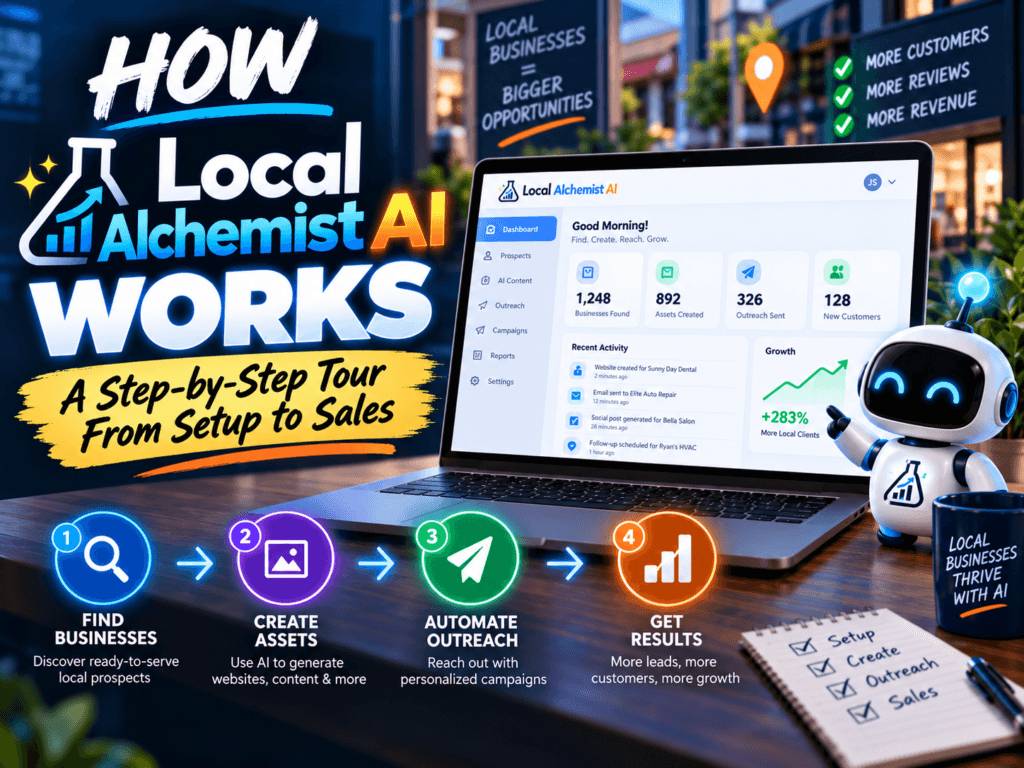
Local Alchemist AI is easiest to understand as a pipeline: business data → selected marketing service → AI generation → branded deliverable → customer dashboard. The appeal is not merely that AI can write text. It is that several repeatable local-marketing tasks are packaged into a workflow a client can buy and receive.
- Install the WordPress-based platform on your domain.
- Choose the front-end theme/branding.
- Connect an AI provider such as OpenAI, Gemini or Claude.
- Configure services, credits, payments and customer access.
- Onboard a local business and provide business/website data.
- Run one of the six local-marketing services.
- Review/edit the generated output.
- Deliver the report/assets through the dashboard or downloadable package.
Step 1: Build the SaaS on Infrastructure You Control
The product is self-hosted on WordPress, which means the site sits on your domain and hosting rather than sending customers to a third-party branded portal. This gives you branding flexibility, but it also means you own normal hosting, security and maintenance responsibilities.
Step 2: Connect Your AI Provider
Support for OpenAI, Gemini and Claude gives you provider choice. That can help with cost, output quality and redundancy. API usage should be treated as a cost of goods sold: track roughly how much each service execution costs so your credits/subscription pricing has enough margin.
Step 3: Package Services Instead of Selling “AI”
Local business owners usually care more about a better Google Business Profile, more review activity, useful social posts or a marketing plan than about which model generated the text. Local Alchemist AI’s six service modules help productize those outcomes. Human review remains essential, especially for local facts, addresses, claims and SEO recommendations.
Step 4: Charge Through Credits or Subscriptions
The customer-account and payment workflow is where the software becomes more SaaS-like. You can structure plans around credits, subscriptions or service access. The correct pricing depends on API costs, support, customer value and how much manual review you promise.
Step 5: Deliver Assets Professionally
The system is designed to keep completed jobs inside the dashboard and can package outputs for delivery. This is important because perceived value is influenced by presentation. A clean branded report can feel more professional than forwarding raw chatbot output.
Step 6: Know Which Rights You Need
If the platform is for your own business/domain, the front-end license may be enough. If your plan is to install and sell the software as client sites, the commercial-license Pro tier is the critical upgrade to verify.
A Practical First-Week Test
- Day 1: install and brand the platform.
- Day 2: connect one AI provider and test costs.
- Day 3: run all six services for a sample local business.
- Day 4: edit outputs until they meet your quality bar.
- Day 5: package one simple plan and price it.
- Day 6: show the deliverables to five prospects.
- Day 7: refine the service based on questions/objections.
Frequently Asked Questions
Does it replace a local SEO professional?
No. It can accelerate analysis/content generation, but strategy, verification and implementation still benefit from human expertise.
Can clients log in?
Customer accounts are part of the SaaS-style workflow promoted by the product.
Can I charge recurring fees?
The platform supports payment/credit/subscription concepts, but your pricing and legal/business setup are your responsibility.